FREE Shipping For The All-New Ergo Pro To Most Countries
FREE Shipping For The All-New Ergo Pro To Most Countries
A keyboard joystick designed to put movement on your thumb, freeing your fingers for critical keybinds.


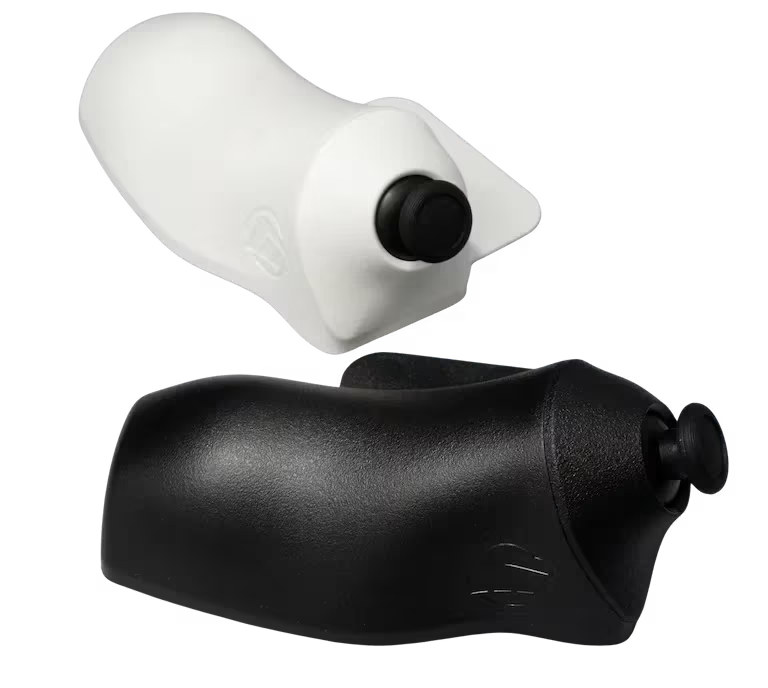
Meet the Ergo Pro. Our keyboard joystick is the solution for players held back by traditional WASD movement in PC Gaming. If clunky controls make you feel like you are being outmaneuvered, the Ergo Pro’s keyboard joystick frees your fingers so you can stay focused and perform at your best in every fight.
Discover the next evolution in gaming with the Ergo Pro keyboard joystick. Built for long sessions, it has a contoured design that sits naturally in your hand, reduces strain, keeps you comfortable, and helps you reach more keys with speed and confidence.
Keyboard Joystick. GMK vs MaxxStick
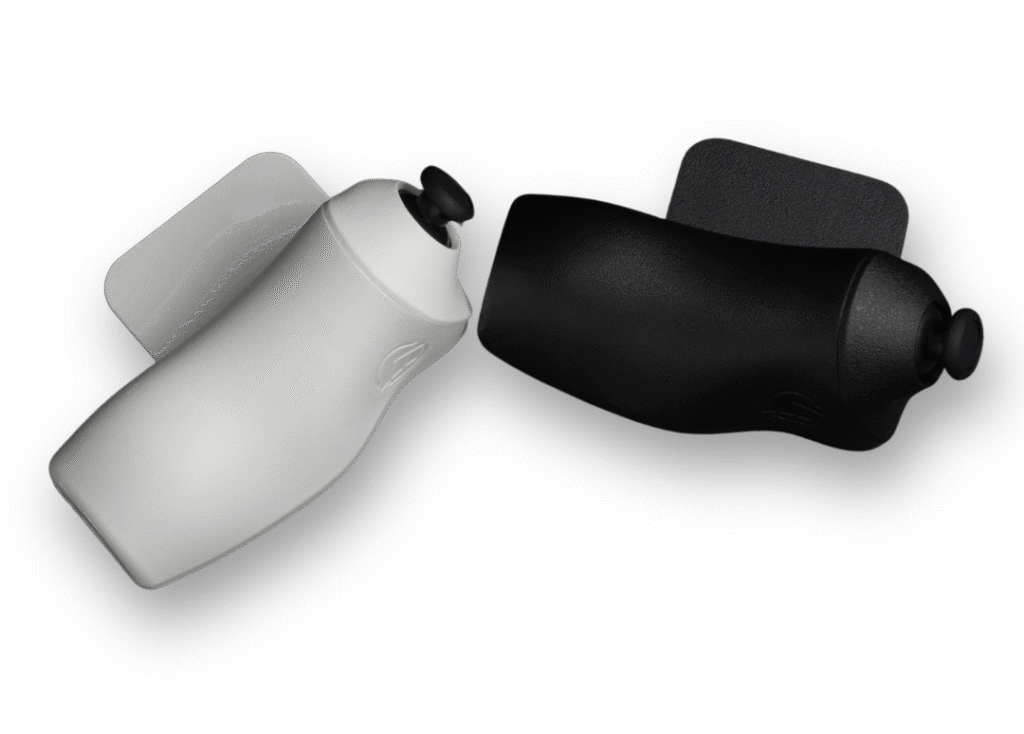
The MaxxStick adapts to every game so you always play at your highest level. When a game lets you combine controller with keyboard and mouse, the MaxxStick gives you true analog movement. If the game keeps things strictly digital, the MaxxStick can work as a keyboard to keep your movement controls on your thumb without missing a beat.
Through our Maxx Utility web tool, you can configure the MaxxStick to present joystick movements to your PC either as an Xbox-style controller or as a DirectInput device for older games.
Move WASD-style with your MaxxStick. Use the Maxx Utility to select which keys the MaxxStick should actuate, then match the in-game movement binds accordingly.
Equipped with an upgraded chip, the 60HE v2 achieves a stable input speed of around 0.125 ms. The keyboard supports true 8 kHz polling, scanning every key at that same rate and in perfect sync. Just activate Tachyon mode in Wootility to unleash the beast.
The Maxx Utility is a simple web tool that lets you set up your movement exactly how you like it. Every change saves straight to the MaxxStick, so your settings follow you to any PC.
If you play a lot of different games, the Maxx Utility lets you save and load profiles, making it easy to switch to the exact movement setup each game needs.
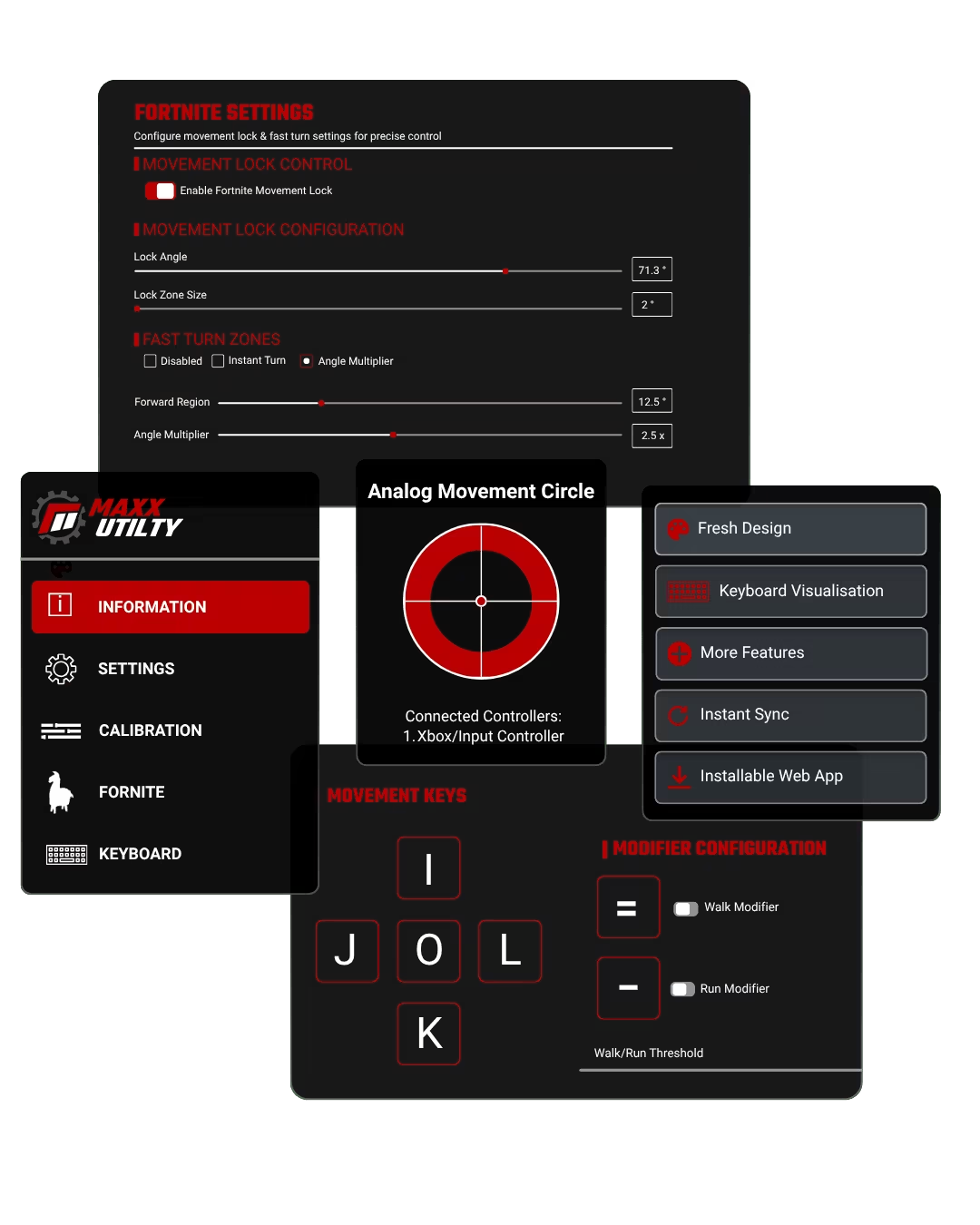
Although the MaxxStick works with any game, Fortnite has a special place in our hearts. Over time, we’ve added features that give Fortnite players more control and consistency.
If you want to change directions quickly, you can turn on Fast Turns. If you want clean left and right movement without the slowdown that makes you look like a bot, switch on Fortnite Movement Lock at 71.3 degrees.
The MaxxStick Keyboard Joystick is an innovative pc gaming joystick that replaces traditional WASD movement with a joystick, allowing gamers to free their fingers from clunky WASD movement controls, so they can do more complex actions in the most intense gaming moments.
The MaxxStick is ideal for players whose mechanics have plateaued but want to bridge the gap to pro-level mechanics. It’s also perfect for controller players transitioning to keyboard and mouse, providing a smoother experience compared to clunky WASD controls. For experienced players, it allows seamless movement while building and editing, freeing up your fingers for other actions.
Yes, the MaxxStick Keyboard Joystick works flawlessly with Fortnite, offering enhanced movement controls to improve gameplay. To start playing Fortnite, go to user settings and disable “Ignore gamepad input.” Then, enable “Lock input method as mouse.” Then start claiming those crown wins.
Absolutely! The MaxxStick Keyboard Joystick is fully compatible with setups inspired by players like Martoz and KenBeans. With a keyboard joystick, you can free up your fingers for building, editing, and other critical actions, giving you a significant gameplay advantage.
That said, copying a pro’s keybinds should only be seen as a starting point. Every player has a unique playstyle, and the most effective keybinds are the ones tailored to your specific needs. The MaxxStick allows you to experiment and refine your setup to find what works best for you, ensuring smoother and more intuitive gameplay.
For inspiration, check out KenBeans’ Fortnite keybinds on ProSettings. Use them as a foundation and adapt them to create a setup that complements your strengths and playstyle. With the MaxxStick, you have the flexibility to optimize your controls and take your gameplay to the next level.
While top Fortnite players use WASD, this doesn’t necessarily mean WASD is the most optimal setup. Many pro players have reached their level in spite of its limitations.
The MaxxStick Keyboard Joystick offers a significant advantage by isolating movement from other game mechanics. With WASD, the same fingers used for movement are often needed for building and editing, creating unnecessary limitations. The MaxxStick frees your fingers, allowing you to perform complex actions without interrupting movement, giving you a smoother and more efficient gameplay experience.
Yes, the MaxxStick is designed to help gamers at all levels, but it’s particularly beneficial for those who are still growing or feel they’ve plateaued. Many professional players have reached the top of their game using unoptimized setups, relying on their skills to compensate for the limitations of traditional keybinds.
Switching to the MaxxStick could improve their gameplay by freeing up their fingers for actions like building and editing. However, making this change would require an adjustment period, during which performance might temporarily dip. For players competing at the highest level, this trade-off can be difficult to justify when they’re focused on maintaining their competitive edge.
For players who are still refining their mechanics or feel stuck in their progress, adopting the MaxxStick early is a smart move. It allows you to optimize your setup from the start, building efficient habits that will support your growth as you advance toward higher levels of competition.
The MaxxStick makes achieving optimal keybinds much easier by separating movement from the rest of the game mechanics. This allows you to free up your fingers for building, editing, and other critical actions, providing a significant gameplay advantage.
To create the most optimal keybinds, start by ranking the actions you perform in the heat of battle. Assign the most important actions to your strongest fingers and progressively use weaker fingers for less frequent tasks. Avoid overloading any one finger to maintain speed and balance.
Here’s how to organize your keybinds based on primary zones:
By combining these strategies with the MaxxStick Keyboard Joystick, you can optimize your keybinds for efficiency and dominate in Fortnite.
Yes! The MaxxStick makes transitioning from controller to KBM much easier by preserving the analog movement you’re already comfortable with. It bridges the gap between controller and KBM, allowing you to enjoy the precision of mouse aiming while maintaining fluid joystick movement. This means you can focus on learning keybinds and improving mechanics without struggling to adapt to WASD controls, making your transition smoother and more effective.
MaxxStick is designed with features that give you more control, flexibility, and ease of use:
True Plug-and-Play: MaxxStick works right out of the box—no additional software or drivers needed. This means faster setup and seamless compatibility, even in competitive environments like LAN tournaments where third-party software isn’t allowed. You can just plug it in and start playing.
Hall Effect Joystick: Unlike the GMK Joystick, MaxxStick uses hall effect sensors, which provide smoother, more precise movement and greater durability by reducing wear and tear over time. This ensures consistent performance, so your joystick remains as responsive as the day you got it.
Flexible Design Choices: MaxxStick comes in two joystick styles—the R3 Pro (straight joystick) and the S3 Pro (angled joystick)—so you can pick the model that feels most comfortable to you, enhancing your playstyle and reducing strain during long sessions.
Customization Without Software: While GMK relies on additional software, MaxxStick allows you to customize your settings through a simple web utility. All your preferences are saved directly to the device, so you can switch between different setups with ease—no need to reinstall or reconfigure every time you switch PCs.
The MaxxStick works with a wide range of games that support keyboard and mouse input, such as Fortnite and many others. For a full list of compatible games, click here to see the games tested and supported by the MaxxStick.
The MaxxStick is not compatible with PS5 or PS4 due to Sony’s restrictions on input devices. PlayStation software does not allow the use of two keyboards simultaneously (your main keyboard and the MaxxStick in keyboard mode). This limitation, enforced by Sony, prevents the MaxxStick from working properly on these consoles.
Yes, but with limited functionality. The MaxxStick R3 and S3 can be used in keyboard mode on Xbox, which provides a D-pad style movement experience in games that support keyboard and mouse input. However, not all Xbox games allow this type of input. We have tested MaxxStick on the Xbox Series S and X, but compatibility with other Xbox models or older versions has not been confirmed. Keep in mind, some Xbox games don’t support keyboard and mouse inputs at all.